
The Department of Cannabis Control (DCC) adopted regulations in CCR, title 4, sections 15020.1, 15020.2, 15020.3 to implement Senate Bill 833. Under the regulations, eligible, active cultivation licensees can make certain changes to their license. Learn more about making these changes during renewal through the licensing system.
Learn more about Cultivation license change options.
Limited Operations status
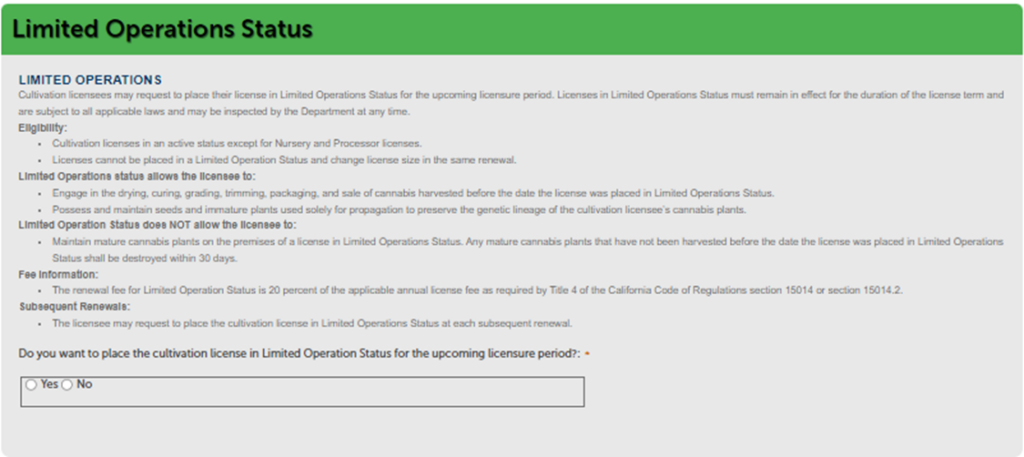
If you do not want to place your license in Limited Operations Status, select the “No” button.
To place your license in a Limited Operations Status, select the “Yes” button.
Cultivation license size change
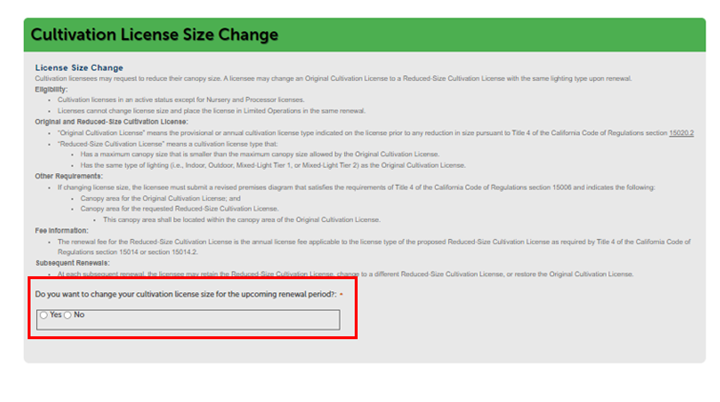
If you want to maintain the current license size, displayed in the “Renewal Information” section above, select the “No” button.
If you want to change the license size in the renewal period, select the “Yes” button.
Note: See the types of limited option statuses and instructions below.
ONLY if you selected “yes” to change your license size follow these steps:
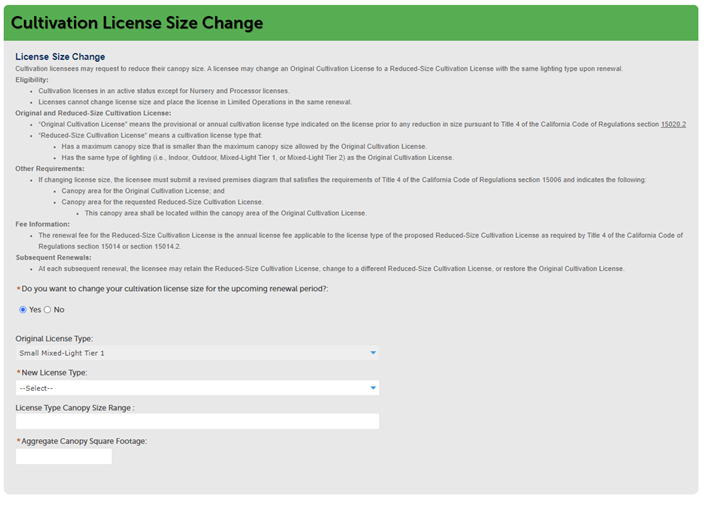
The “Original License Type” will be displayed in the “New License Type” field, select the new license size you want.
The new allowed “License Type Canopy Range” will display below.
Make sure that your new aggregate canopy falls within this range. Enter the Aggregate Canopy Square Footage in the field.
For Specialty Cottage Outdoor or Specialty Outdoor license types, enter either the Aggregate Canopy Square Footage or Canopy Plant Count in the appropriate field.
A new Premises Diagram is required to be uploaded on the Documents page.
One-time license expiration date change
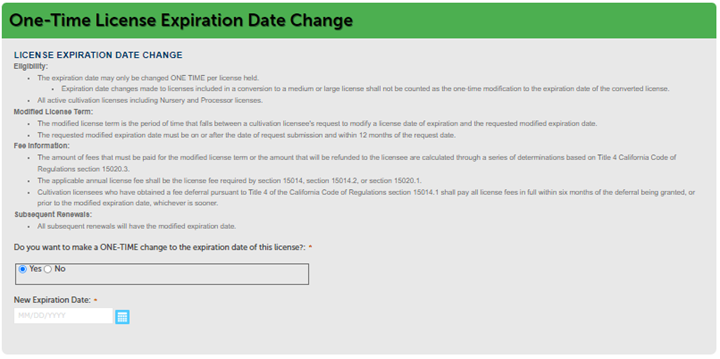
If you do not want to change the expiration date, displayed in the prior section under Renewal Information above, select the “No” button.
If you want to make a ONE-TIME change to the expiration date of the license, select the “Yes” button. Enter the desired expiration date in the “New Expiration Date” box.
NOTE: Only enter a date if you want to change the current expiration date of the license.
Select “Continue Application” to move on to the next page.
Limited Operations status
Learn more about Limited Operations Status
Cultivation license size change
Learn more about reducing the size of a cultivation license
One-time license expiration date change
Learn more about one-time changes
Continue to next article
-
Verifying business, people, and owners during CLS renewal
Ensuring accuracy of all owners and other people listed in the CLS portal during renewal is a critical step in the process. Review these steps to verify owners and financial interest holders.